
Welcome to Cheeko. Let's get you started.
Step 01 Download the Parent App
Step 02 Create a Parent Account
Fill in the Parent Details
- Sign in with Apple or Google
- Add your name, phone number and Cheeko's language
- Tick the three consent boxes, then tap Continue
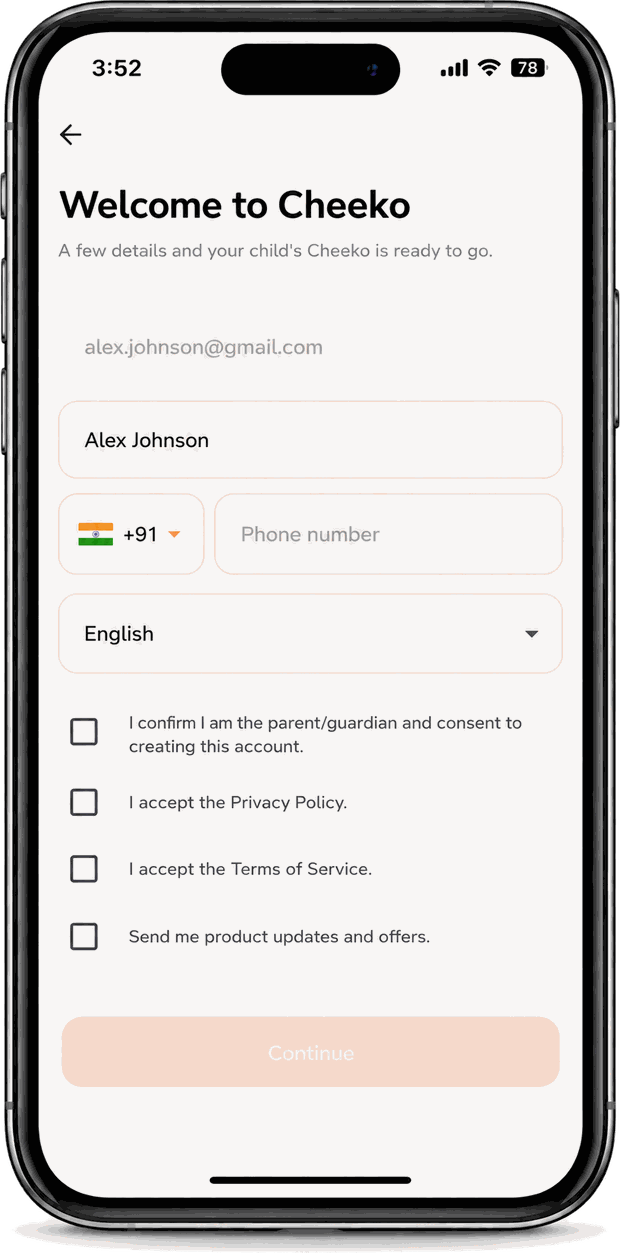
Parent App · Registration
Step 03 Connect Cheeko to Wi-Fi
Pick Your Home Network
- Tap your home Wi-Fi in the list
- Enter the password once — Cheeko remembers it
- Not there? Tap Scan Again
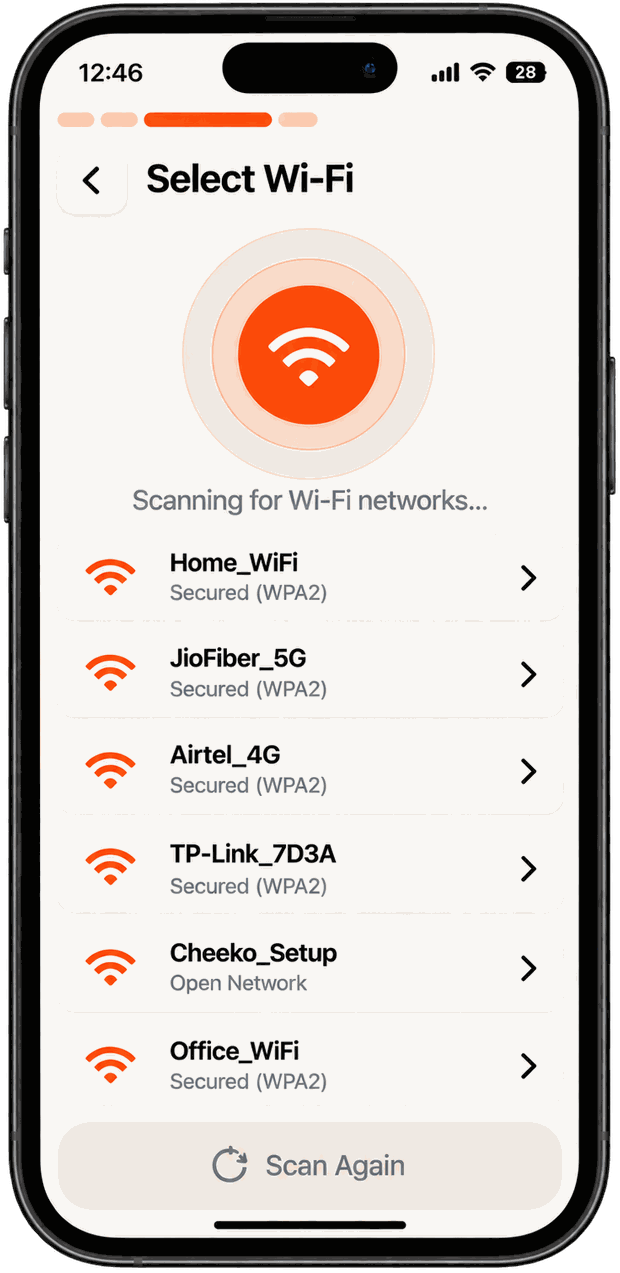
Parent App · Select Wi-Fi
Step 04 Pair your Device
Run the Pre-flight Checks
- Turn on Bluetooth and Location on your phone
- Switch Cheeko on
- On Cheeko, open Settings → Wi-Fi → Set up with phone
- Tap Continue in the app
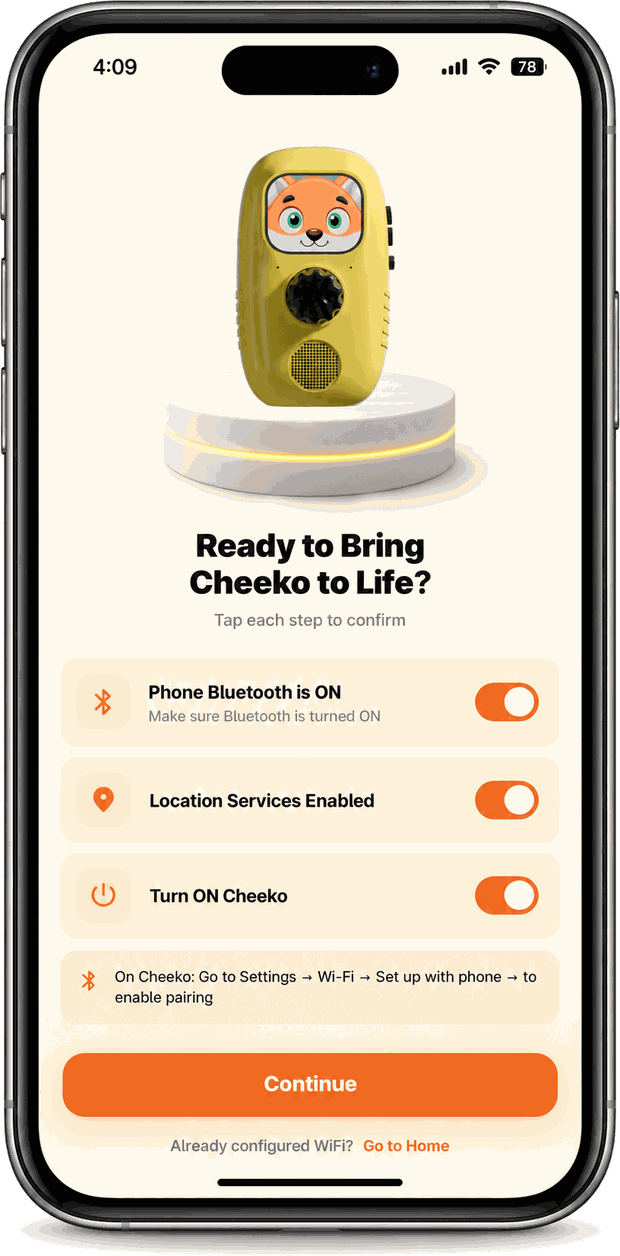
Parent App · Pairing Checks
Step 05 Start Exploring
You're all set. Slot a card into the top of Cheeko and it plays.
Setup complete Your Cheeko is all set up!
It's configured and ready to play. Its details and warranty are in Device Info.
Device Info
Your Cheeko's details and 6-month warranty, straight from your account.
Support, Guides & Documentation
Step-by-Step Video Guides
Device User Guide
Hardware Diagram
- Orange Ear Buttons: Twist left ear to adjust volume. Twist right ear to skip track list. Press both ears to enter Wi-Fi mode.
- Card Slot: Vertically slot cards facing forwards to immediately play. Remove card to pause.
- USB-C Dock: Charge by setting Cheeko onto the circular magnetic charging dock base.
- Headphone Jack: Standard 3.5mm jack on the rear for quiet playback.
LED Indicators
- Pulsing Blue Eyes: Device is currently downloading cards or syncing.
- Solid White Eyes: Cheeko is active and ready.
- Soft Green Eyes: AI assistant mic is listening to child replies.
- Pulsing Red Eyes: Low battery warning (below 15%).
Frequently Asked Questions
Yes! Cheeko features zero LED screens. Feedback is given through friendly voice prompts, spatial audio soundscapes, and soft light pulses in the device's ears.
No, once standard card audio files have synced to Cheeko, they store directly on the device memory (8GB storage) and play offline completely. Only AI conversation sessions require a network link.
Cheeko is designed for kids aged 2 to 10. Our card catalog divides ranges into Ages 0-2, 3-5, 6-8, and 9+ with age-appropriate storylines, cognitive math puzzles, and mentor dialogues.
Contact Cheeko Support
We reply within 24 hours.